
Two things will look alarming. Both are normal.
When you open Orby for the first time, macOS will warn you it doesn't recognise the developer. And the first time you ask a question, Orby will need to download a model, which takes a few minutes. Neither is a sign something is wrong. Here's exactly what you'll see, and what to do about each one.
“Apple could not verify this app”
Orby isn't distributed through the Mac App Store, so the first time you open it, macOS shows a warning that it can't verify the developer. This is standard for any app downloaded directly rather than through the App Store, not something specific to Orby.
- Move the downloaded file to your Applications folder, if you haven't already.
- Open it. macOS will show a dialog saying it can't verify the app, or that it's from an unidentified developer.
- Close that dialog.
- Open System Settings → Privacy & Security. Scroll down. You'll see a line naming Orby, with an Open Anyway button next to it.
- Click Open Anyway, then confirm once more when asked.
You only do this once. After the first successful launch, Orby opens normally.
Why this happens, if you're wondering: signing an app for macOS costs money and requires an ongoing Apple developer account. We do sign our builds. The warning above is macOS being cautious about apps outside its own store, not a comment on whether Orby is safe.
The first thing Orby does is download what it needs to run
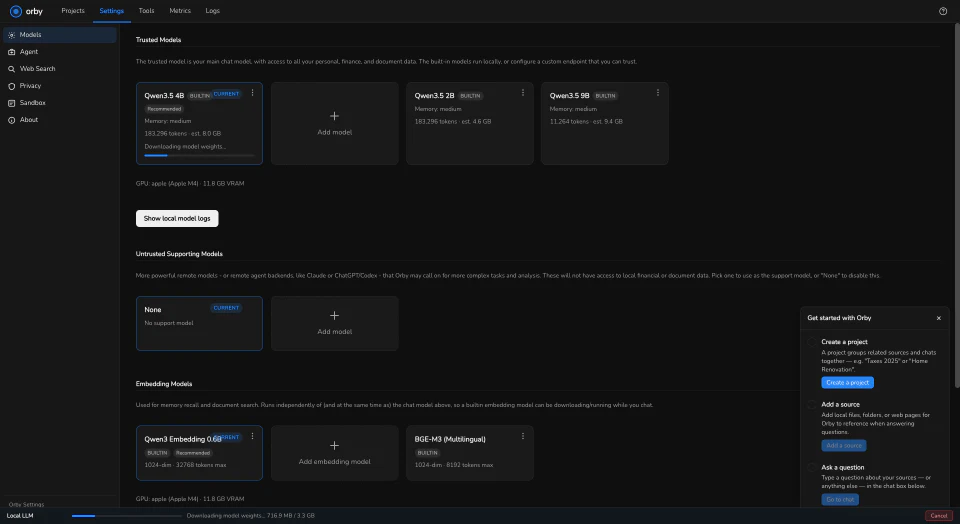
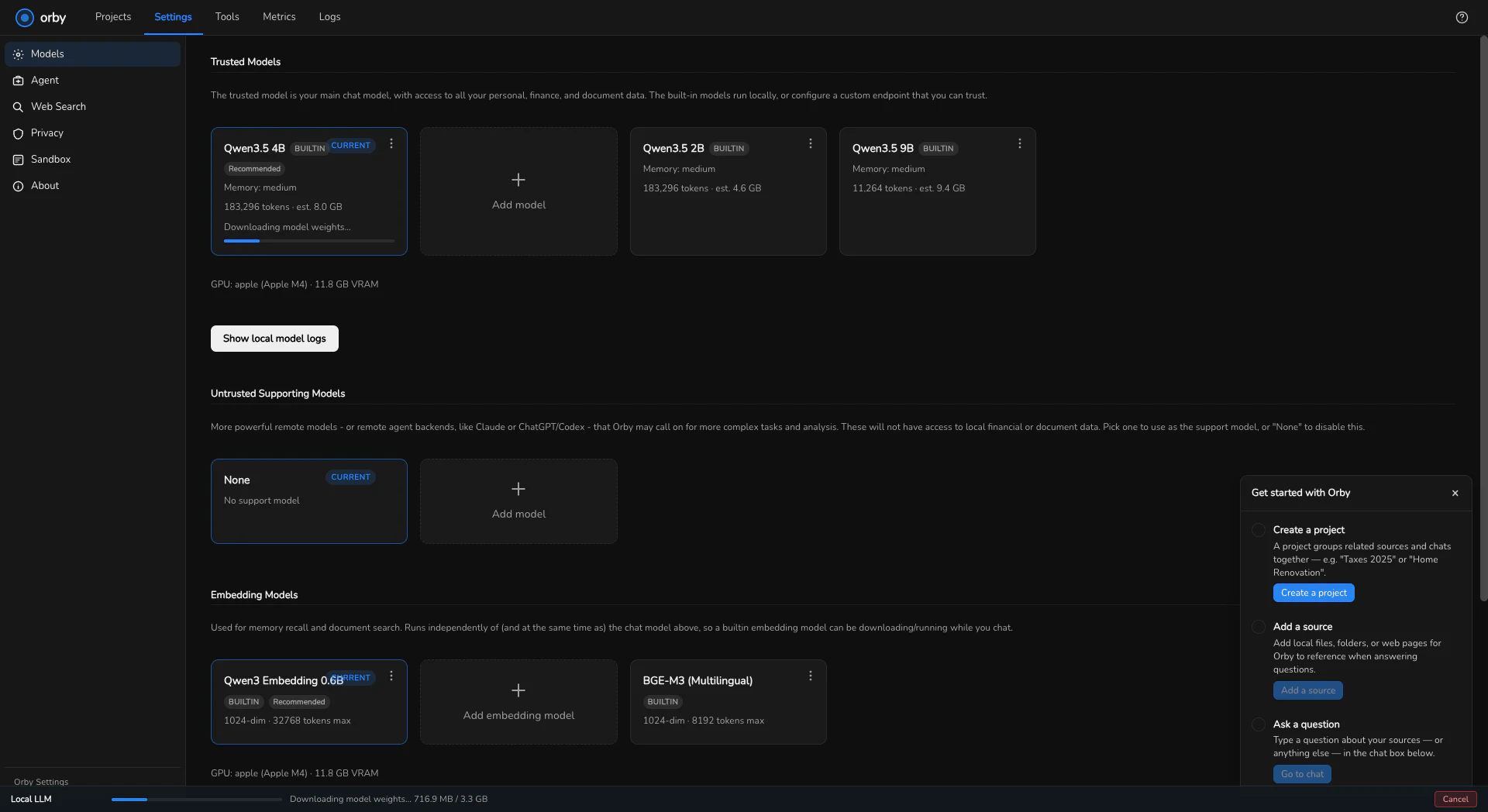
Orby answers your questions using models that run on your own Mac. Those aren't bundled into the app itself, because together they're large, so Orby fetches them the first time you need them, or you can start it yourself ahead of time from Settings.
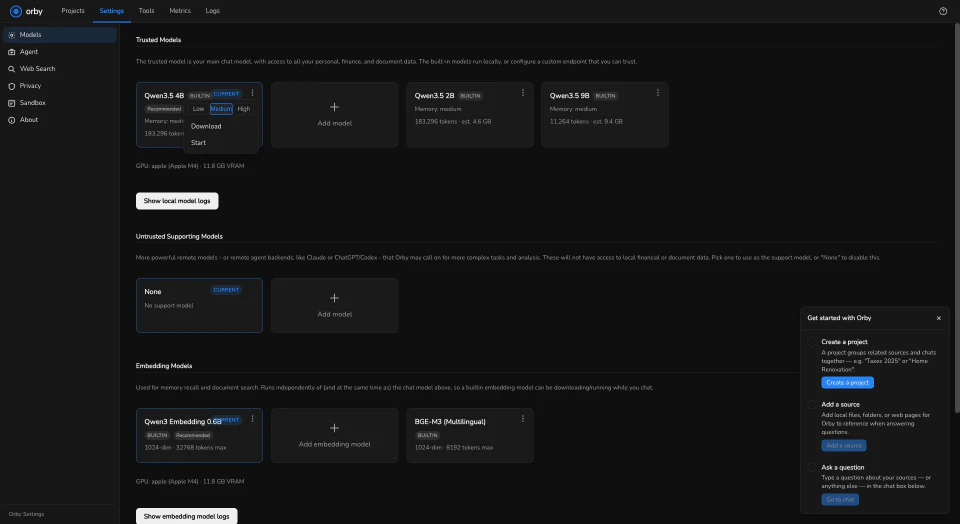
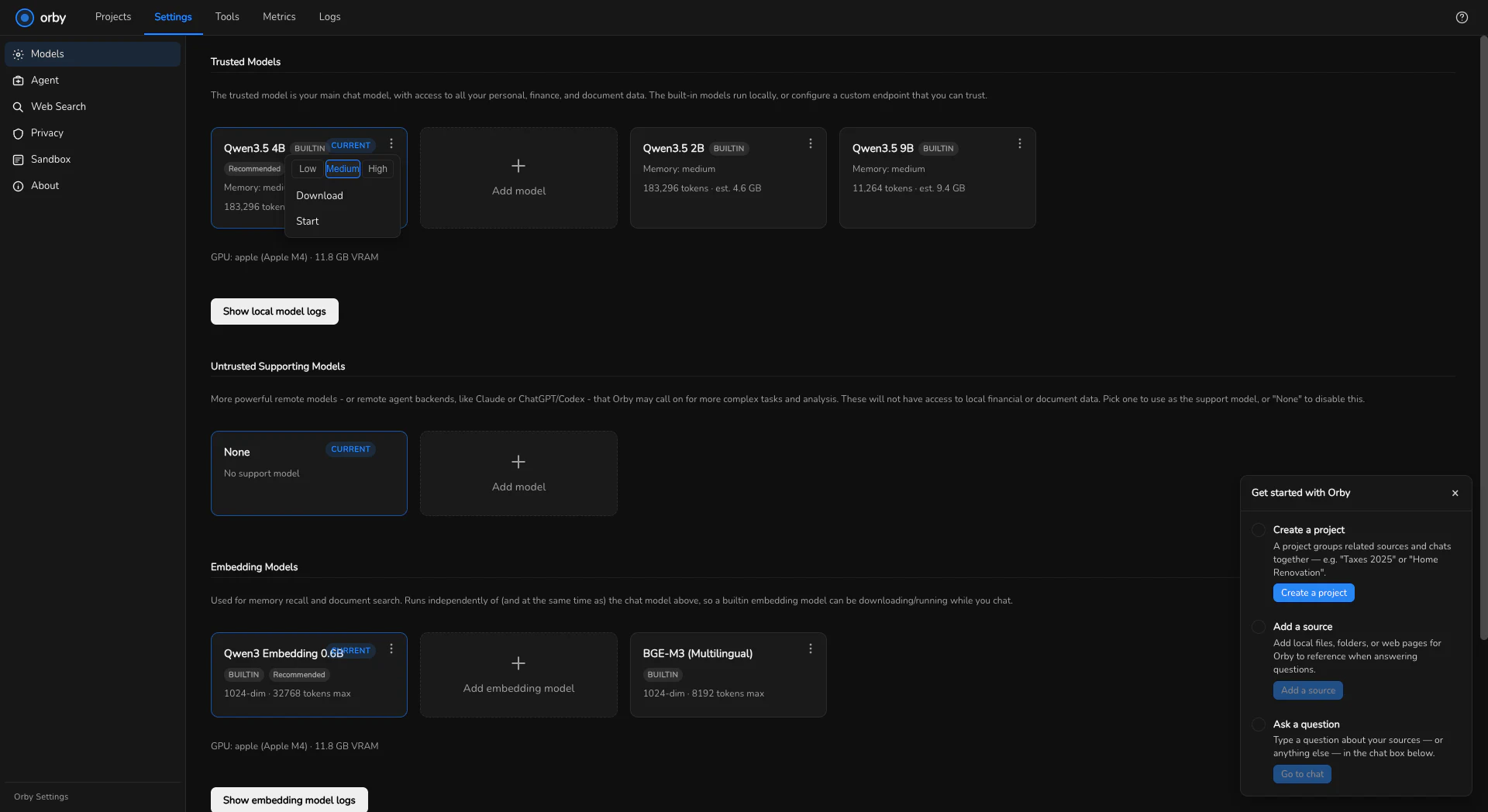
What to expect: about 4.3 GB in total, downloaded once and kept on your machine after that. That covers the chat model that answers your questions, a smaller component that handles images, and a smaller model used to index what you've added so Orby can search it. On an ordinary home connection that's usually ten to fifteen minutes. A slower connection takes longer. The size is the number to plan around; the exact time depends on your internet, not on Orby.
One number to not confuse with the download. Once the model's downloaded, its card in Settings shows an estimate like "est. 8.0 GB" — that's how much memory it needs while it's running, not how much you downloaded. Different measurement, different number, easy to mix up if nobody says so.
Orby picks a model sized to what your Mac can run. On a 16 GB Apple Silicon Mac, the model it picks by default is one we've tested and confirmed works without you needing to change anything.
Once the model's downloaded, you're ready
At that point Orby is a normal app: a Projects screen, an Add project button, nothing else running in the background. The next step is adding a bank statement and asking your first question.
If your install doesn't match what's described here, tell us. That's exactly the kind of thing this alpha exists to catch. Tell us what went wrong →